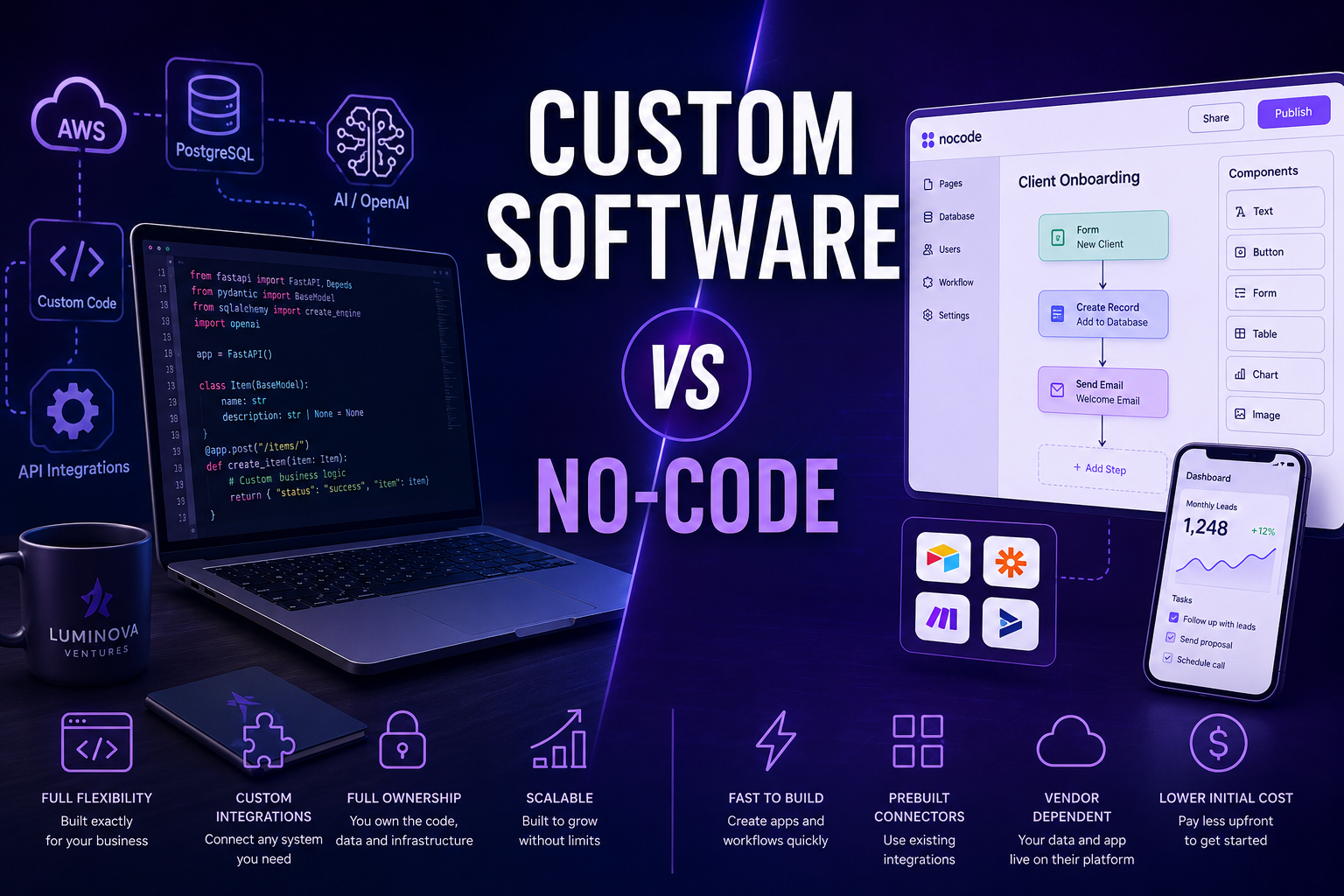
No-code vs custom software is one of the most important decisions companies face when planning automation, internal tools or digital business systems. Both approaches can reduce manual work, but they are not built for the same level of complexity, scalability or long-term control.
In 30 Seconds
- No-code tools are useful for simple workflows, internal tools and fast prototypes.
- Custom software gives more control, ownership, integrations and scalability.
- Businesses often outgrow no-code when workflows become operationally critical.
- The right choice depends on process complexity, data structure, security and long-term growth.
No-Code vs Custom Software: The Practical Difference
No-code platforms help teams build simple workflows, forms, dashboards and internal tools without writing traditional code. They are useful when a company needs a quick solution, a simple prototype or lightweight process automation.
Custom software is different. It is designed around the company’s workflow, data, integrations, users and business logic. It usually requires more planning and development, but it gives the business more flexibility, better scalability and full control over how the system works.
When No-Code Makes Sense
No-code tools are a good choice when the process is simple, the data structure is limited and the business needs something fast rather than deeply customized.
Simple Forms
Collect structured information from customers, employees or partners.
Small Workflows
Connect forms, email notifications and spreadsheets without building a full application.
Internal MVPs
Test a business workflow before investing in a dedicated platform.
Basic Dashboards
Display simple metrics from a limited number of data sources.
When Custom Software Is the Better Choice
Custom software becomes the better option when automation is connected to a core business process. If a company needs advanced integrations, AI processing, custom permissions, scalable databases or proprietary workflows, no-code tools often become limiting.
This is especially important for companies building AI assistants, API integrations, analytics dashboards, internal platforms or customer-facing software.
No-Code vs Custom Software: Comparison
No-Code
- Fast to launch
- Lower initial cost
- Prebuilt connectors
- Vendor dependent
- Best for simple workflows
Custom Software
- Full flexibility
- Custom integrations
- Better scalability
- Full ownership
- Built around business logic
No-Code vs Custom Software: Cost and Scalability
No-code usually has a lower starting cost, but the long-term cost can increase through subscriptions, user limits, automation limits and vendor dependency. Custom software usually costs more upfront, but it can become more efficient when the system is central to the business.
The real question is not only which option is cheaper today. The better question is which option will still support the business when processes, users and data volume grow.
Technology Stack for Custom Automation
Modern automation systems often use Python, APIs, databases and AI models from OpenAI to connect business processes into one reliable workflow.
How Luminova Ventures Helps
Luminova Ventures helps companies decide whether no-code, custom software or a hybrid approach is the right fit. We build AI automation systems, API integrations, analytics dashboards and custom business platforms designed around real operational workflows.
- AI Business Assistant
- Python Infrastructure Automation
- API Integration Workflow
- Custom SaaS Platforms
- Free Automation Audit
Frequently Asked Questions About No-Code vs Custom Software
Is no-code better than custom software?
No-code is better for simple workflows and fast prototypes. Custom software is better for complex systems, advanced integrations and long-term scalability.
When should a business choose custom software?
A business should choose custom software when automation depends on unique workflows, proprietary data, AI logic, user permissions or integrations with multiple systems.
Can no-code and custom software work together?
Yes. Many companies start with no-code to validate a workflow and later replace the most important parts with custom software as the business grows.
What is best for business automation?
The best choice depends on the complexity of the process, expected growth, required integrations and how important the system is to daily operations.
Need Help Choosing the Right Solution?
Request a free Automation Audit and discover whether no-code, custom software or a hybrid approach is the best fit for your business.
Request Free Automation AuditLooking for more practical AI, automation and software development resources?
← Back to Knowledge Base