
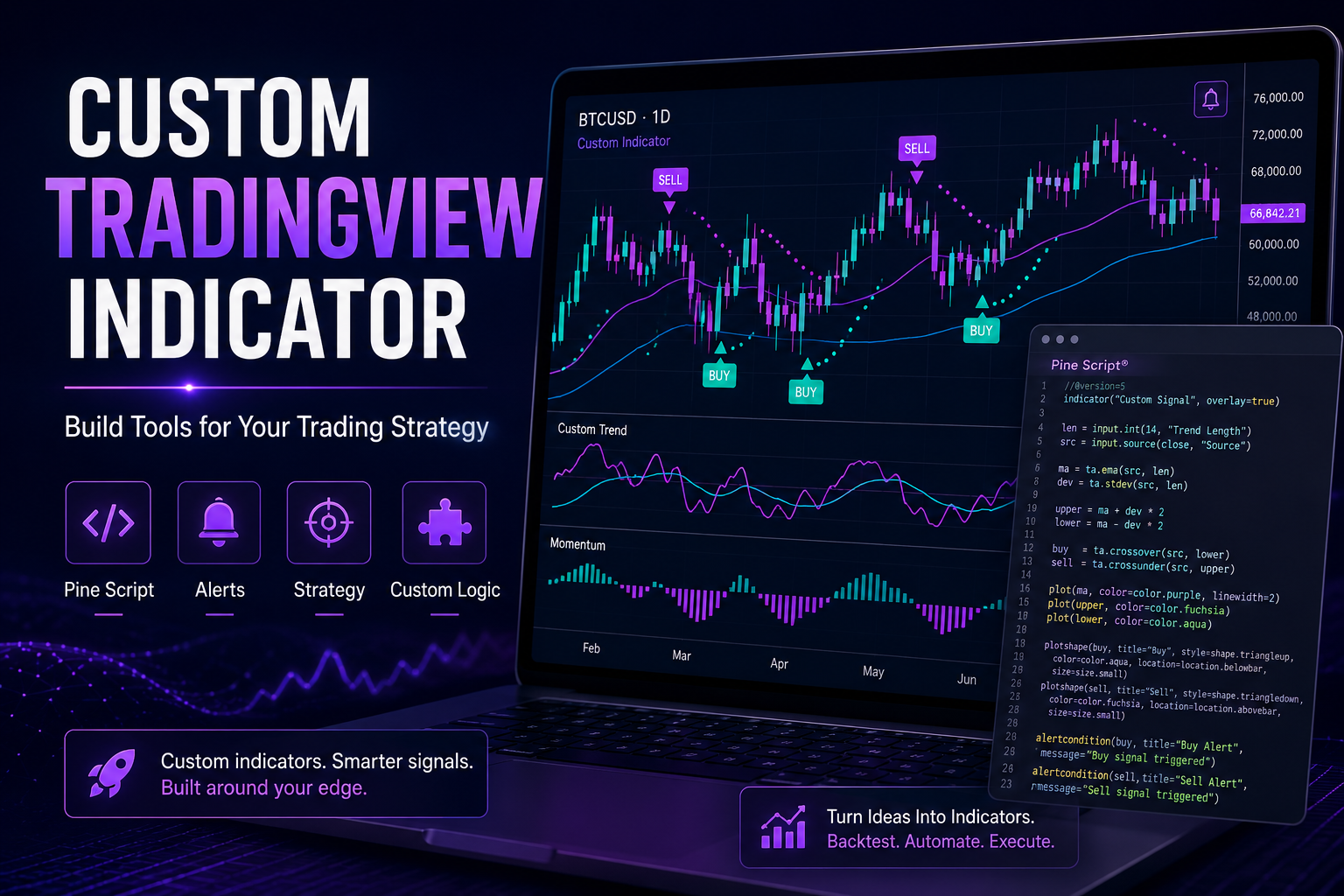
Custom TradingView Indicator development helps traders turn trading ideas into practical Pine Script tools, alerts and visual chart systems. Instead of relying only on generic indicators, traders can build custom logic around their strategy, market structure, risk rules and signal conditions.
In 30 Seconds
- A Custom TradingView Indicator turns trading logic into a visual chart tool.
- Pine Script can create signals, alerts, dashboards and strategy conditions.
- Custom indicators help traders avoid generic tools that do not match their system.
- Advanced indicators can connect with Discord, Telegram and webhook automation.
What Is a Custom TradingView Indicator?
A Custom TradingView Indicator is a Pine Script tool built for a specific trading strategy, market condition or analytical workflow. It can display signals, draw zones, calculate market structure, trigger alerts and help traders read the chart faster.
Standard indicators are useful, but they rarely match a trader’s exact rules. For example, one trader may need custom market structure labels, while another needs session levels, liquidity sweeps, trend filters, alert conditions or a visual dashboard.
Custom indicator development solves that problem by converting a trading idea into a tool that works directly inside TradingView.
Why Traders Build Custom TradingView Indicators
Many traders start with public indicators, but eventually they need more control. Generic tools often show too much information, use logic that does not match the strategy or fail to create the exact alerts needed for execution.
A custom indicator can focus only on the rules that matter. As a result, the chart becomes cleaner, signals become more consistent and the trader can spend more time analyzing the market instead of manually checking conditions.
Custom Strategy Logic
Build indicators around your exact trading rules instead of adapting to generic tools.
Cleaner Charts
Show only the levels, signals and conditions that matter to your trading process.
Alert Automation
Trigger TradingView alerts when your custom market conditions appear.
Better Workflow
Reduce manual chart checking and create a more structured trading routine.
What Can a Custom TradingView Indicator Do?
A Custom TradingView Indicator can support many different trading styles. The most useful tools usually focus on one specific analytical problem and make it easier to read price action, detect setups or send alerts.
- Buy and sell signals based on custom market conditions.
- Market structure labels such as BOS, CHoCH, HH, HL, LH and LL.
- Liquidity levels including sweeps, equal highs and equal lows.
- Session tools for London, New York or Asia trading windows.
- Risk levels such as stop loss, take profit and invalidation zones.
- Trend filters using moving averages, momentum or multi-timeframe logic.
- Custom dashboards with market state, bias or signal status.
- Alert conditions for TradingView webhooks and notifications.
- Strategy helpers for backtesting and visual execution planning.
- Community tools for Discord, Telegram or private trading groups.
Example Indicator Workflow
- The trader defines the strategy rules.
- The logic is converted into Pine Script.
- The indicator detects specific market conditions.
- Signals appear directly on the TradingView chart.
- Alerts trigger when the setup is valid.
- Notifications can go to TradingView, Discord or Telegram.
- The trader reviews signals and executes based on the full strategy context.
Generic Indicators vs Custom TradingView Indicators
Generic indicators are easy to access, but they are built for broad use. Because of that, they often include logic that does not match a trader’s personal strategy.
Custom indicators are different. They are built around specific rules, preferred chart style, trading sessions, risk model and workflow. Therefore, they can become much more useful for traders who already know what they want to measure.
Generic Indicators vs Custom Indicators
Generic Indicators
- Built for broad audiences
- Limited strategy control
- Often too many signals
- May not support your workflow
- Generic alert conditions
Custom Indicators
- Built around your rules
- Custom Pine Script logic
- Cleaner chart signals
- Workflow-specific design
- Precise alert conditions
Pine Script and TradingView Indicator Development
Pine Script is the programming language used to build indicators and strategies inside TradingView. It allows developers to calculate custom conditions, display visual elements and create alert logic directly on the chart.
With Pine Script, a developer can build tools for trend detection, market structure, liquidity analysis, volume conditions, sessions, dashboards and automated alerts. In addition, Pine Script can help convert a manual trading checklist into a repeatable chart-based process.
When Should You Build a Custom TradingView Indicator?
A trader should build a custom indicator when the same chart conditions are checked repeatedly. If the rules are clear and the process can be described logically, Pine Script can usually automate part of the analysis.
However, custom development works best when the strategy already has defined rules. If the system is still unclear, the first step should be documenting the trading logic before turning it into code.
- You check the same setup conditions every day.
- Generic indicators do not match your strategy.
- You need cleaner signals and fewer distractions.
- You want alerts based on custom logic.
- You manage a Discord or Telegram trading community.
- You need TradingView signals connected with webhooks.
- You want to visualize risk, sessions or structure more clearly.
- You already have a repeatable trading checklist.
Custom Indicators and Alert Automation
A Custom TradingView Indicator becomes even more useful when combined with alert automation. Once Pine Script detects a valid condition, TradingView can send an alert to external systems through webhooks.
For example, an alert can trigger a Discord bot, send a Telegram message, update a signal database or notify a trading dashboard. This creates a complete workflow where market conditions move from chart detection to real-time notification.
This is especially valuable for trading communities, educators and analysts who publish structured alerts to multiple platforms.
How Luminova Ventures Builds Custom TradingView Indicators
Luminova Ventures builds custom TradingView tools around real trading workflows. The goal is not to create decorative chart indicators, but to turn practical trading logic into clear visual tools, alerts and automation systems.
Typical projects include Pine Script indicators, market structure tools, liquidity tools, alert systems, signal dashboards, Discord bots, Telegram alerts and custom strategy logic.
- TradingView Alerts Automation
- Discord Automation
- Telegram Automation
- Business API Integration
- Free Automation Audit
Frequently Asked Questions About Custom TradingView Indicators
What is a Custom TradingView Indicator?
A Custom TradingView Indicator is a Pine Script tool built for specific trading rules, chart conditions, alerts or strategy workflows inside TradingView.
Can a custom indicator send alerts?
Yes. Pine Script indicators can include alert conditions that trigger TradingView alerts, webhook messages, Discord notifications or Telegram bot updates.
Do I need clear trading rules before building an indicator?
Yes. A custom indicator works best when the trading logic is already defined. Clear rules make the Pine Script development process faster and more accurate.
Can indicators be used for trading communities?
Yes. Custom indicators can support Discord or Telegram communities by sending structured alerts, signal updates and market notifications through automation workflows.
Build a TradingView Indicator for Your Strategy
Request a free Automation Audit and discover how a custom TradingView indicator can turn your strategy into signals, alerts and automated workflows.
Request Free Automation AuditLooking for more practical AI, automation and software development resources?
← Back to Knowledge Base