
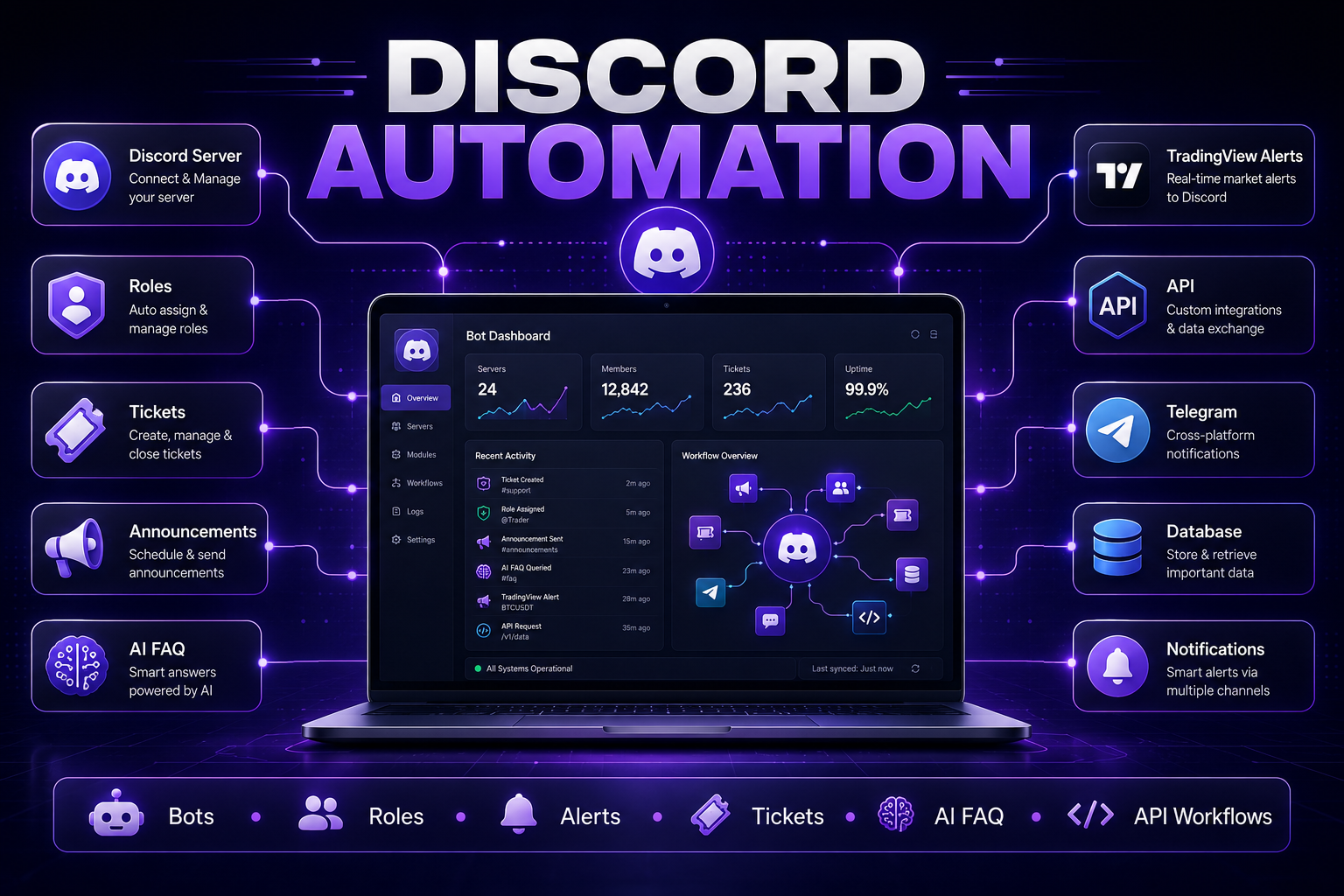
Discord Automation helps communities save time by using custom bots, workflows and integrations to manage repetitive server tasks. Instead of handling onboarding, roles, alerts, tickets and announcements manually, communities can automate daily operations and create a better experience for members.
In 30 Seconds
- Discord Automation reduces repetitive community management tasks.
- Custom bots can manage roles, tickets, alerts and onboarding.
- Automated workflows improve response time and member experience.
- Discord bots can integrate with APIs, Telegram, TradingView and AI systems.
What Is Discord Automation?
Discord Automation is the process of using bots, APIs and workflow logic to automate repetitive tasks inside a Discord server. It allows communities to manage onboarding, roles, tickets, announcements, notifications and integrations without relying on manual work from moderators.
For small servers, manual management may be enough. But as a community grows, repeated tasks become difficult to control. Members ask the same questions, alerts need to be posted quickly, roles must be assigned correctly and moderators need better tools to keep the server organized.
A custom Discord bot can solve these problems by creating structured workflows that run automatically. This makes the community easier to manage and creates a smoother experience for members.
Why Communities Use Discord Bots
Discord servers often become operational platforms. They are used for education, trading communities, crypto projects, paid memberships, support groups, product launches and private communities.
As the server becomes more important, manual administration becomes a bottleneck. Bots help automate repetitive server operations and reduce the workload for moderators, founders and community managers.
Faster Onboarding
Guide new members through rules, roles, channels and first steps automatically.
Better Moderation
Use structured commands, logs and workflows to support moderators.
Automated Alerts
Send real-time alerts from external systems directly into Discord channels.
Improved Support
Use tickets, AI FAQ and routing workflows to manage member questions.
Common Discord Automation Use Cases
Automation can support many different types of Discord communities. The strongest use cases are usually repetitive processes that moderators perform every day.
- Member onboarding with welcome messages and role selection.
- Role automation based on forms, payments, permissions or commands.
- Ticket systems for support, applications and private requests.
- TradingView alerts sent directly to selected Discord channels.
- AI FAQ bots that answer repeated questions automatically.
- Announcement workflows for scheduled updates and community news.
- Moderation logs for tracking important server actions.
- API integrations with websites, dashboards, databases or external tools.
- Telegram synchronization for cross-platform communities.
- Private member areas connected with subscriptions or access rules.
Example Discord Bot Workflow
- A new member joins the server.
- The bot sends a welcome message.
- The member selects interests or access level.
- The bot assigns the correct roles.
- Important channels become visible automatically.
- An AI FAQ bot answers basic questions.
- Moderators receive alerts only when human support is needed.
Manual Community Management vs Bot Automation
Manual community management often works in the early stage of a server. But once members, channels and requests increase, the same tasks start repeating every day.
Bot automation creates consistent workflows. Members receive faster responses, moderators save time and server operations become easier to scale.
Manual Server Work vs Automation
Manual Management
- Repeated moderator tasks
- Slow member onboarding
- Missed announcements
- Unstructured support requests
- Higher risk of human error
Discord Automation
- Automated bot workflows
- Instant role assignment
- Scheduled announcements
- Structured ticket systems
- Consistent server operations
Technology Stack for Discord Automation
Professional Discord bots usually require more than simple commands. A reliable automation system may include Python, APIs, databases, permissions, scheduled tasks, logging, webhooks and integrations with external tools.
For advanced communities, bots can also connect with AI services, TradingView alerts, Telegram channels, payment platforms, dashboards and custom business systems.
When Should a Community Invest in Discord Automation?
A community should invest in Discord Automation when moderators repeat the same tasks, members wait too long for support or important updates must be delivered consistently.
The stronger the community depends on Discord, the more valuable automation becomes. For paid communities, trading groups, education platforms and crypto projects, reliable bot workflows can directly improve operations and member satisfaction.
- New members need structured onboarding.
- Moderators answer the same questions every day.
- Announcements must be posted at specific times.
- Trading or system alerts need to reach members instantly.
- Support requests should be organized into tickets.
- Roles must be assigned based on rules or access levels.
- The server connects with Telegram, websites or APIs.
- The community is growing faster than manual moderation can handle.
Discord Automation and AI Assistants
AI can make Discord bots significantly more useful. Instead of only reacting to commands, an AI-powered bot can answer common questions, summarize long discussions, classify requests and help members find the right information.
This is especially valuable in education, trading, crypto and technical communities where members often ask repeated questions. AI support reduces moderator workload while keeping the server active and responsive.
Modern AI services such as OpenAI can be integrated with Discord bots to create AI FAQ systems, support assistants, content summarizers and intelligent moderation workflows.
How Luminova Ventures Builds Discord Automation
Luminova Ventures builds Discord automation systems around real community workflows. The goal is not to add random bot commands, but to create practical automation that saves time and improves the member experience.
Typical projects include onboarding bots, role management, ticket systems, AI FAQ assistants, TradingView alerts, Telegram synchronization, API integrations and custom dashboard connections.
- Business API Integration
- Python Infrastructure Automation
- Workflow Automation Explained
- AI Business Assistant
- Free Automation Audit
Frequently Asked Questions About Discord Automation
What is Discord Automation?
Discord Automation uses bots, APIs and workflow logic to automate server tasks such as onboarding, role assignment, tickets, alerts, announcements and member support.
What can Discord bots automate?
Discord bots can automate welcome messages, roles, ticket systems, announcements, moderation logs, AI FAQ responses, TradingView alerts, Telegram synchronization and API workflows.
Can Discord bots connect with external tools?
Yes. Discord bots can connect with websites, databases, dashboards, Telegram, TradingView, AI services, payment systems and custom APIs.
Is Discord Automation useful for paid communities?
Yes. Paid communities often benefit from automated onboarding, private role access, support tickets, member notifications and structured workflows that improve member experience.
Automate Your Discord Community
Request a free Automation Audit and discover how custom Discord bots can save time, improve onboarding and automate your community workflows.
Request Free Automation AuditLooking for more practical AI, automation and software development resources?
← Back to Knowledge Base