
Lorem ipsum dolor sit amet, consectetur adipiscing elit. Ut elit tellus, luctus nec ullamcorper mattis, pulvinar dapibus leo.

Lorem ipsum dolor sit amet, consectetur adipiscing elit. Ut elit tellus, luctus nec ullamcorper mattis, pulvinar dapibus leo.

Lorem ipsum dolor sit amet, consectetur adipiscing elit. Ut elit tellus, luctus nec ullamcorper mattis, pulvinar dapibus leo.

Lorem ipsum dolor sit amet, consectetur adipiscing elit. Ut elit tellus, luctus nec ullamcorper mattis, pulvinar dapibus leo.

🎯 Luminova Kill Zones – Key Levels Indicator

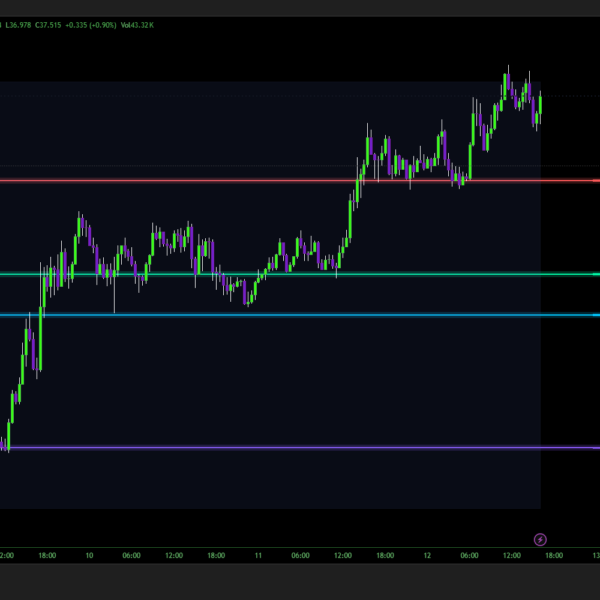
Luminova Kill Zones is an invite-only Pine v5 indicator that reveals pro-level support & resistance zones across 5 timeframes (D/W/M/Q/Y) with smart level merging, tested level markers (✅), and start dots (●). Control 30 individual levels, pick custom colors, and get instant HTF clarity – perfect for multi-timeframe traders who demand clean, actionable charts. Lifetime access after one-time purchase.

$10.00

🎯 Luminova Kill Zones – Key Levels Indicator

Indicator Type: Support & Resistance / Multi-Timeframe Levels Recommended Timeframes: All (1m to 1M+) Assets: All TradingView symbols (Stocks, Forex, Crypto, Indices, Futures)

1. Core Concept – Professional Multi-Timeframe Key Levels

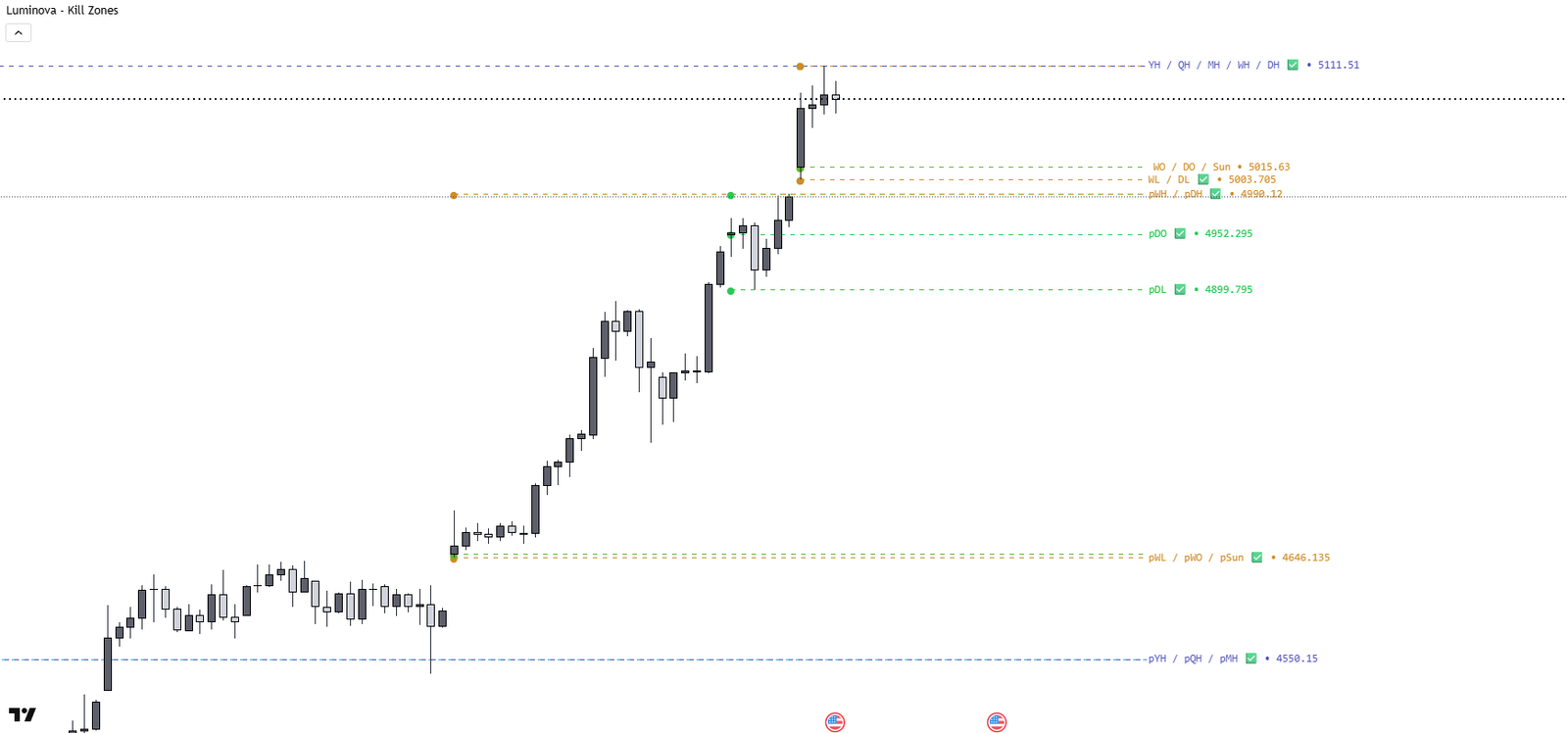
  • Displays critical Open, High, Low levels across 5 major timeframes: Daily, Weekly, Monthly, Quarterly, Yearly – both current and previous periods.
  • Designed for swing traders, day traders & position traders who need instant visibility of HTF (Higher Timeframe) support/resistance zones.
  • Invite-only access after purchase: Exclusive, lifetime use on your TradingView account.

2. Smart Level Management System

  • Automatic Level Merging: Combines nearby levels to eliminate chart clutter – configurable threshold (default 0.1%) ensures clean display.
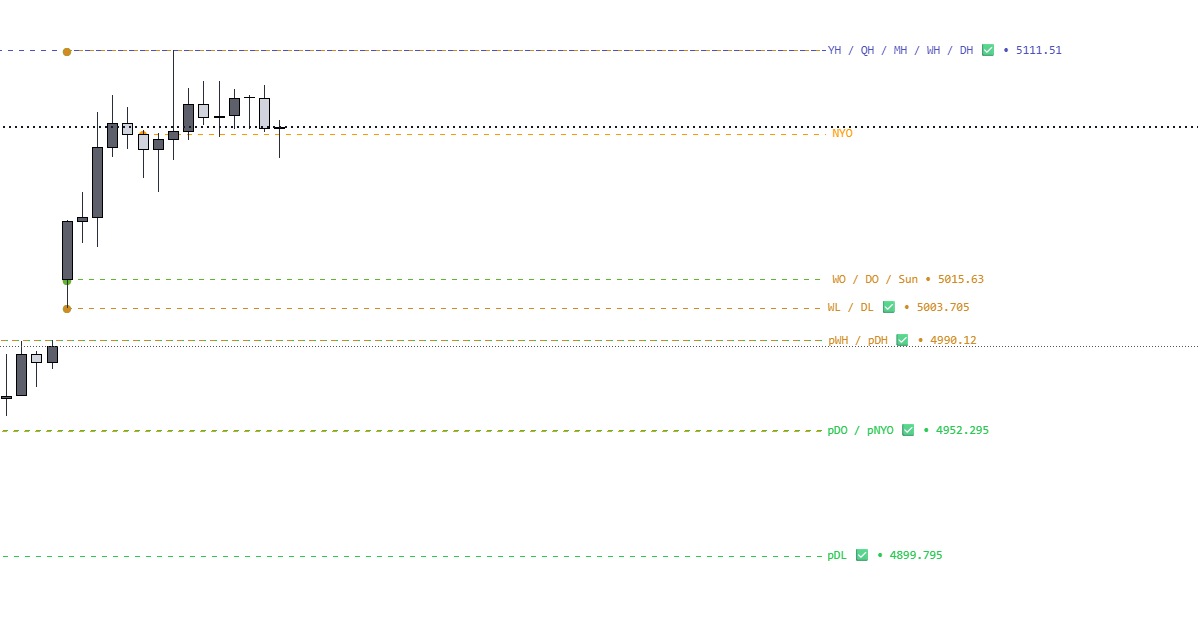
  • Tested Levels Detection: Auto-marks levels that price has touched with ✅ icon – identifies proven support/resistance zones.
  • Start Dots Feature: Visual markers (●) show exact origin point of each level – perfect for understanding price behavior.

3. Organized & Intuitive Interface

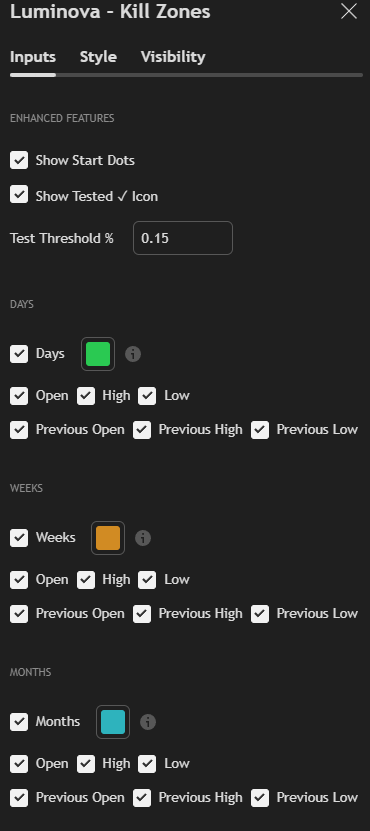
  • Grouped by Timeframe: DAYS, WEEKS, MONTHS, QUARTERS, YEARS – each section with master toggle + individual level controls (Open/High/Low/Previous).
  • Color Customization: Independent color picker for each timeframe – match your chart theme or create visual hierarchy.
  • Enhanced Features Group: Toggle start dots, tested icons, adjust test threshold – all advanced options in one clean section.
  • Pre-Optimized Settings: Display style (Standard), line style (Dashed), label position (Middle) – hardcoded for instant professional results.

4. Key Features & Performance

  • 30 Total Levels Available: 6 levels × 5 timeframes (Current: O/H/L + Previous: O/H/L) – full market context at a glance.
  • Clean Labeling System: Compact abbreviations (DO, DH, DL, pDO, WH, MO, QH, YL, etc.) – instantly recognizable, no confusion.
  • Pine v5 Optimized: Efficient rendering with max 500 labels, security() calls with lookahead prevention, zero lag on chart updates.
  • Universal Compatibility: Works on any asset, timeframe, chart type – seamlessly integrates with other indicators.

5. Pro Trading Applications

  • Swing Trading: Identify weekly/monthly levels for multi-day position planning and risk management.
  • Day Trading: Respect HTF levels (Daily/Weekly opens) for intraday entries – avoid trading into resistance.
  • Position Trading: Use quarterly/yearly levels for long-term support zones and profit targets.
  • Kill Zone Strategy: Combine with session times (London/NY open) for high-probability reversal setups at key levels.

6. Setup & Access After Purchase

  • Buy → Instant Invite: We publish invite-only; find in Indicators > Invite-Only Scripts tab on TradingView.
  • Quick Start: Add to chart, select desired levels (e.g., Daily O/H/L + Weekly O/H/L), pick colors – ready in 60 seconds.
  • Lifetime Access: No subscriptions, works forever on your account. Updates included. Direct support from Luminova Ventures.

💡 Why Traders Choose Luminova Kill Zones

  • “Finally, clean levels without chart chaos!” – Automatic merging means no overlapping labels.
  • “Tested levels feature = game changer” – See which zones actually held vs. got breached.
  • “Perfect for multi-timeframe analysis” – All HTF levels in one indicator, no need for multiple scripts.
  • “Works with ICT/SMC strategies” – Complements kill zones, order blocks, liquidity concepts.

Get Luminova Kill Zones today and never miss a critical price level again.
Subscribe to Our Newsletter
Stay updated with the latest trading insights and exclusive offers.

© 2025 Luminova Ventures Limited. All rights reserved.